


Linux网络操作系统-第32节-配置Apache服务器(一)基础Web
学了这么多服务,终于到了最直观的一个:Apache(httpd)——全球使用最久的 Web 服务器。这一节发布你的第一个网页。
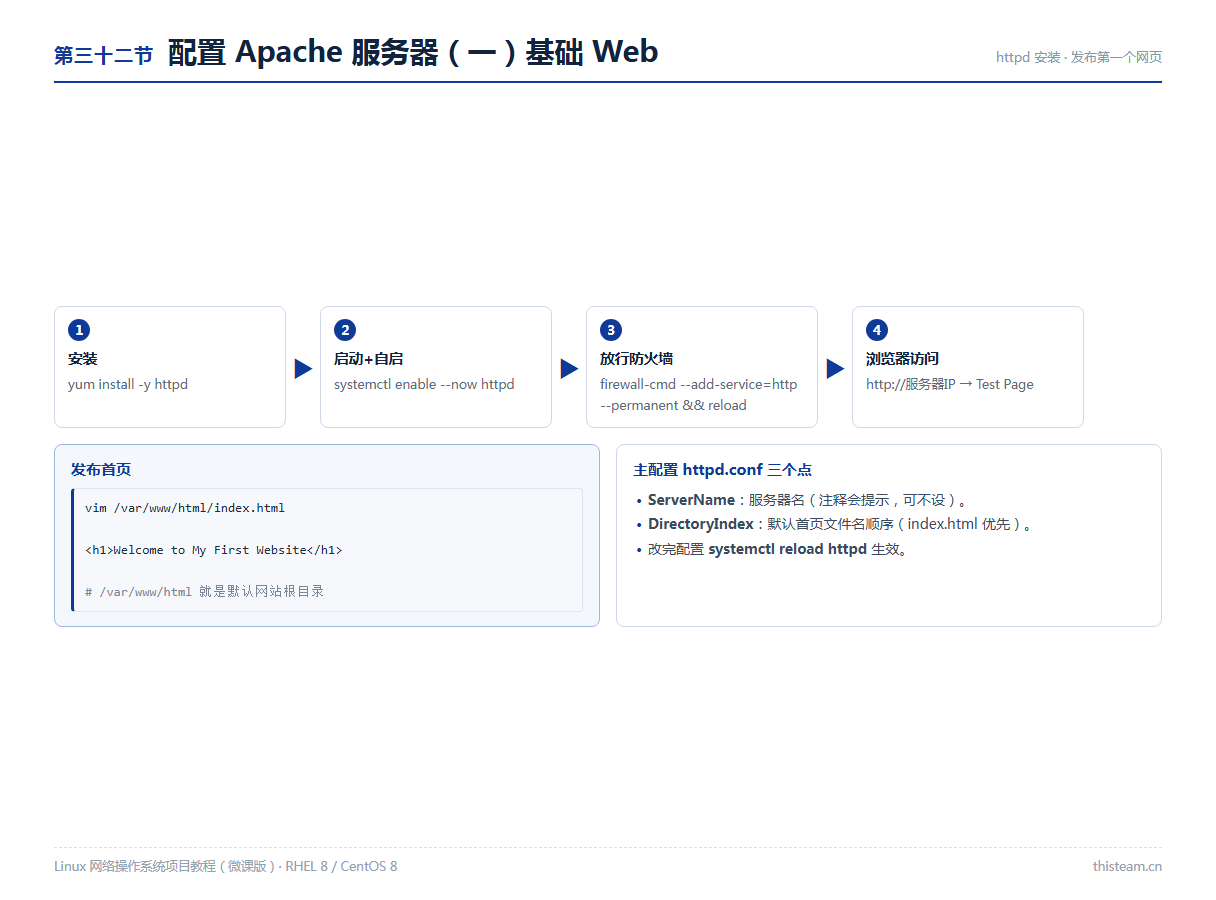
一、安装与启动
yum install -y httpd
systemctl enable --now httpd
systemctl status httpd

firewall-cmd --add-service=http --permanent
firewall-cmd --reload
# SELinux 宽容模式可跳过;强制模式下默认配置即可正常工作
二、发布第一个网页
vim /var/www/html/index.htmlWelcome to My First Website
# 浏览器访问 http://服务器IP → 看到页面即成功 # /var/www/html 就是默认网站根目录(DocumentRoot)
三、主配置初探
| 配置项 | 作用 |
|---|---|
| /etc/httpd/conf/httpd.conf | 主配置文件 |
| ServerName | 服务器名,未设时启动会提示,可忽略或设置 |
| DirectoryIndex | 默认首页顺序:先找 index.html,没有再找下一个 |
| DocumentRoot | 网站根目录,网页都放在这下面 |
systemctl reload httpd     # 改配置后重载(不断连接)
# conf.d/ 下的 *.conf 会被自动 Include——下一节虚拟主机就写在这
排障三板斧:systemctl status httpd 看状态 → ss -tnl | grep 80 看端口 → curl http://localhost 本机先测。Windows 打不开多半是防火墙没放行 http。